Hasomi Is on Google Play: Make Your Home Smart Without Rewiring
Lights that wake with you, a geyser that switches itself off, and Hindi voice commands. Hasomi fits inside the switchboard you already have, and its app is now on Google Play in open testing.
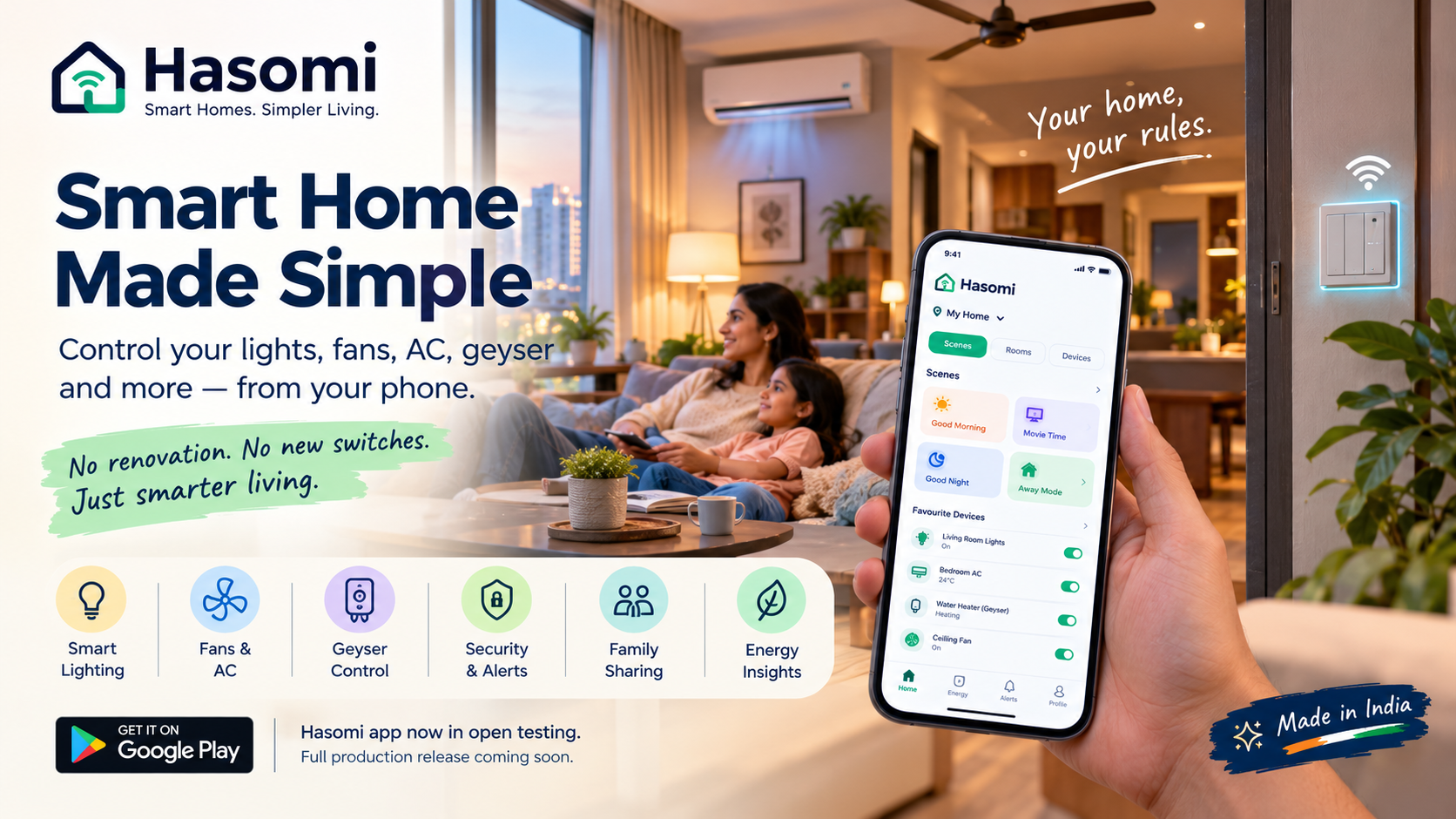
Imagine waking up at 6:30 in the morning. Your bedroom lights come on gradually, the geyser has already been running for a few minutes, and the living room fan is ready before you get there.
No searching for switches. No walking around the house to turn things on.
At night, you get into bed and remember that the AC in another room is still running. Instead of getting up, you say, “Alexa, sab light OFF karo.”
That's the kind of convenience people look for in a smart home. And with Hasomi, you don't necessarily need to renovate your house or replace all your existing switches to get started.
The Hasomi app is available on Google Play in open testing, with the full production release planned for a later date.
Smart home automation without breaking walls
For many Indian homeowners, the idea of home automation sounds expensive or complicated. They imagine new switchboards, wiring work and a collection of smart bulbs and plugs, each controlled through a different app.
Hasomi takes a different approach.
A compact Wi-Fi module is installed inside your existing switchboard, allowing compatible switches to work with the Hasomi app. The product is designed to work with modular switch ranges from brands such as Anchor, Roma, Havells and Legrand.
Your regular wall switches continue to work, so you can control your lights and appliances manually or through your phone.
Because it's designed for retrofit installation, you may not need to make major changes to your walls or electrical setup. That can make it an option worth exploring if you're upgrading an existing flat rather than building a home from scratch.
If you rent, ask the installation team whether the setup is suitable for your property and whether the modules can be removed and reused when you move.
Control your home from one app
Once your devices are connected, the Hasomi app lets you control supported lights, fans, ACs, geysers and other appliances from your phone.
You can also organize devices by room, check their status and control them remotely, subject to your setup and connectivity.
But the real convenience comes from being able to control several devices together.
Set up routines for everyday life
Think about the things you do almost every day. You wake up, get ready for work, leave the house, come back in the evening and eventually go to bed. Many of the same switches get used in roughly the same order.
With scenes, you can group compatible devices into a single action.
- Good Morning: Turn on selected lights and start your morning routine.
- Movie Time: Adjust the lighting for a more comfortable viewing experience.
- Good Night: Turn off selected lights and appliances while leaving a night light on.
- Away Mode: Set up your preferred device settings before leaving home.
You can create routines around your own schedule rather than relying only on preset options.
Let automations handle repetitive tasks
You can also set rules to run automatically. Depending on the supported devices and configuration, that might mean scheduling a geyser to switch off, turning lights on around sunset or setting an AC to stop running after a certain period.
Where supported, presence-based automation can help control lights according to whether a room is occupied.
The benefit is straightforward: fewer small tasks to remember throughout the day.
Use voice commands in Hindi or English
Hasomi supports integration with Alexa and Google Home, allowing you to control compatible devices with voice commands.
For example, you might say:
- “Alexa, bedroom light ON karo.”
- “Ok Google, sab light OFF karo.”
- “Alexa, geyser 15 minute mein band karo.”
The exact commands depend on the device, integration and available automation settings. Hasomi also offers a built-in voice assistant in the app.
For households where different family members prefer different ways of controlling devices, having both app-based and voice-based options can be useful.
Can smart home automation help reduce electricity bills?
It can help, particularly when appliances are often left running longer than necessary.
Think about a geyser that stays on after everyone has finished bathing, an AC cooling an empty room or lights that remain on long after someone has left.
These habits can waste electricity over time.
Hasomi's automation and scheduling features are designed to help you manage such situations. Depending on the supported setup, you can schedule appliances, configure automatic shutoffs and receive alerts when a device has been running longer than expected.
The platform also describes energy insights that help users understand electricity consumption by device.
The important distinction is that automation can help you manage consumption, but it cannot guarantee a particular reduction in your electricity bill. Actual savings depend on your appliances, usage patterns, electricity rates and how you configure the system.
For many households, starting with geyser schedules, AC controls and lights in frequently used rooms may be a practical first step.
Keep an eye on your home when you're away
Smart home control is useful even when you're not at home.
Suppose you leave for work and realise that the AC may still be running. If the connected device supports remote control and your system is online, you can check its status and switch it off from your phone.
Hasomi also describes door alerts and activity history, helping users keep track of supported events at home.
For anyone who travels frequently, scheduled control can also be useful for certain appliances. Aquarium lighting, filter pumps, aerators and plant-watering pumps are examples of equipment that may benefit from a consistent schedule, provided the connected devices are compatible.
These features can make routine home management easier. They should not, however, be treated as a replacement for dedicated security systems or someone checking on pets and plants when necessary.
A smart home should work for the whole family
Not everyone at home wants to use the same app settings or control every appliance.
Hasomi offers family-sharing and multi-property management features, allowing users to organise access to devices and manage more than one property through an account.
For example, you might want your parents to control the living-room lights while keeping certain appliance controls restricted. Or you may want to manage devices at your own flat and your parents' home without switching between separate systems.
The available permissions and property-management options will depend on the app's current functionality and configuration.
The idea is to make home automation practical for the people who actually live in the house, not just the person who installed it.
Designed with Indian homes in mind
Hasomi is a Made-in-India home automation product developed by Anvya AI and AuraBrain, with its base in Greater Noida.
Its focus is on the appliances and living arrangements common in Indian homes: modular switchboards, fans, geysers, air conditioners and the familiar 2BHK or 3BHK flat.
For someone considering home automation, these practical details matter. A system should fit into the way the house is already used and make everyday routines easier to manage.
Hasomi's published specifications include a stated operating voltage range of 160V–300V and a two-year replacement warranty. Check the current product documentation and warranty terms with the company before purchasing or arranging installation.
At Anvya AI, the goal is to build technology that solves practical problems. With Hasomi, that means bringing more control and automation into everyday home life without making the setup unnecessarily complicated.
Try Hasomi
The Hasomi app is available on Google Play in open testing. You can explore the app and contact the team to understand what you'll need for your home.
If you'd like to see how the system works before making a decision, you can visit hasomi.com and enquire about a demo.
You don't have to automate your entire home at once. Start with the devices you use most often, understand what makes a difference to your daily routine, and build from there.
Sometimes, the best part of a smart home is simply not having to think about every switch.